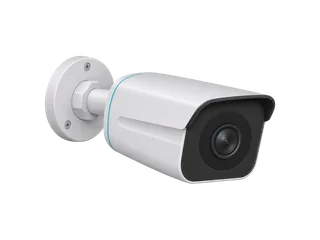
What are its strengths and trade-offs?
Pros
Cons
What does it offer at night?
Reolink lists infrared night vision up to 30 m (100 ft) on the UK 4 mm profile. Expect monochrome footage when the camera uses its infrared LEDs. We have no measured range for identifying faces or number plates. [M·R2]
Which functions stay local?
Your internet connection reaches outside the home. Your local network connects devices at home. This camera connects to the local network over Ethernet. For recording or playback, keep the equipment involved powered and connected.
| Function | Internet down, local system powered | Condition |
|---|---|---|
| Card recording | Documented as available | A suitable configured microSD card. [M·R1] |
| Local live view / playback | Documented as available | A working LAN connection to the viewing device. [M·R1] |
| Remote live view / playback | Unavailable during an internet outage | A local recording is not remote access. [M·R1] |
| Push / email alerts | Unavailable during an internet outage | Plan how someone will notice and retrieve an event. [M·R1] |
| Isolated camera-to-NVR setup | NVR screen can show live view/playback | Use its connected screen. Viewing through the phone or desktop app requires a network connection to the recorder. [M·R1] |
| Power for the camera | Still required | 802.3af active PoE or the specified 12 V DC supply. [M·R2] |
| Camera / NVR loses power | The affected wired device stops | Backup power must cover every device needed by your route. [M·R4] |
| Restart and long outage | No matched-unit observation here | Continued operation does not prove restart or timestamp recovery. |
What if the power goes out too?
Reolink’s outage table stops wired PoE cameras and NVRs in both no-power columns. Its powered/no-internet column points to the local-function guide. That is a distinction between power states, not a contradiction about offline recording. [M·R4]
For a PoE installation, backup power at a switch/injector or NVR can matter as much as power at the camera. Count the recorder, local network and any viewing screen you expect to use; this record does not estimate UPS runtime.
How will you record and play footage back?
- Card + working LAN: local software access is documented. A recorder is not mandatory for the card route.
- Camera plugged directly into an isolated NVR: plan to use its connected monitor for playback. The isolated setup is different from an NVR connected to your home LAN.
- Direct PC connection: Reolink documents access without a router, using a powered network-port camera, Reolink Client and suitable local IP addressing. [M·R7]
For initial setup, the Client guide describes finding an uninitialised PoE camera on a wired LAN, creating its camera password and naming it. Download the Client beforehand if the installation will have no internet. This documents a local setup path; it is not a completed test of a particular air-gapped camera/NVR combination. [M·R8]
Choose the card or NVR disk, recording schedule and export method before relying on the installation. Keep a separate copy if footage must survive theft of the camera. Read the outage buying checklist for the whole recording chain.
Which version should you check?
Check documented microSD limits by UK hardware version.
Ask the seller: “Is this the 4 mm 8 MP version? Can you confirm the camera’s hardware code, supported microSD capacity and weather rating for this unit?” On a configured camera, look for Hardware Ver. under Device Settings → Device Info. A code can begin IPC_. See Reolink’s System Information guide.
| Document checked | microSD capacity | Weather rating |
|---|---|---|
| Current UK product page — 4 mm profile [M·R2] | Up to 512 GB | IP67 |
| PDF linked from that product page, 4 mm table on pp. 4–5 [M·R6] | Up to 512 GB | IP67 in the table; cover still says IP66 |
| Separate single-page 4 mm CDN PDF, previously cited [M·R3] | Up to 256 GB | IP66 |
The UK product page and its linked specification table list up to 512 GB. A separate 4 mm specification lists 256 GB. The weather ratings also conflict, including between the cover and table of the linked PDF. Confirm both limits for the unit the seller offers.
Reolink’s card guide adds a qualification: current PoE models on sale have been tested to 512 GB, while the guide lists older-hardware exceptions and limits its guarantee for other models. It also recommends V30 or faster for 4K recording. The card guide lists 128 GB for RLC-series IPC_513, IPC_515 and IPC_517 hardware and 64 GB for IPC_3816. It does not tie the conflicting 4 mm documents above to specific retail units. Ask for the capacity supported by the quoted unit before ordering a large card. [M·R5]
The 4 mm reference is 3840 × 2160, up to 25 fps and H.265. The UK page also has 2.8 mm and 6 mm profiles with different fields of view. Confirm the lens offered rather than inferring it from “RLC-810A” alone. [M·R2]
What does an independent test establish?
Mighty Gadget’s original September 2020 sample needed changes to its resolution setting and H.265 stream path for Blue Iris. The article header carries a 21 October 2026 update date, but that does not make its sample a test of today’s retail hardware. The author did not test a Reolink NVR in that review. [I·RI]
What do selected owners report?
Owners describe both years of satisfactory outdoor use and failed units. Other reports show why resolution settings and protection of cable ends can matter as much as the headline specification.
These are real public posts from people describing ownership. We have not verified purchases or identities. Reports are selected examples, not a representative survey or a measure of how often a problem occurs.
Long-term reliability: mixed first-hand accounts
A March 2025 discussion contains two positive RLC-810A accounts and one account reporting several failed units from an older installation.
Original account and follow-up
Additional-Coconut50 reports several units working reliably over years. Thefolsom reports about four years of outdoor use and explicitly identifies RLC-810A in an edit. SteveFCA reports failures after a 2021 installation and corrects the original CX810 label to RLC-810A.
These are three public accounts in one discussion. Causes, revisions, firmware and service records are not established. We do not combine their unit counts into a failure rate or treat one discussion as independent population evidence.
Status: conflicting owner reports; no defensible overall reliability estimate.
Cropped picture: the owner confirmed the setting explanation
In February 2026, score96 reported a narrower image, then confirmed the reply about using the native resolution explained the problem.
Original account and follow-up
Original post and author’s follow-up ↗. The owner identified IPC_56064M8MP and firmware v3.1.0.5764_2512171966. A reply pointed to 3840 × 2160 rather than a lower resolution; the author confirmed that was the explanation.
Check the framing after changing recording resolution. This establishes one author’s explanation on one configuration, not a universal firmware defect or a fix for every RLC-810A.
Status: author-confirmed explanation.
Read one more case
Outdoor mounting: check all cable ends
In April 2026, MandellaFavella reported receiving RLC-810A units without caps on the power/reset tails and asked how to protect them.
Original account and follow-up
Original installation discussion ↗. The owner later acknowledged that a larger opening or a junction box might be needed. This is an installation concern, not an observed water-ingress failure. Exact revision and all package contents are not established.
Reolink’s own guidance requires the outdoor network weatherproof cap. Plan the complete connection protection with the applicable installation instructions; peer suggestions are not a manufacturer-certified sealing method.
Status: mounting question; no long-term sealing result reported.
How we selected and checked these experiences
On 17 November 2026 we searched Reddit and manufacturer communities for the exact model, long-term use, app/recording problems and later replies. We read the linked accounts in context, kept positive and negative experiences, and checked available corrections. We did not collect every comment or treat repeated messages by one account as new cases.
Different hardware, firmware, cards, network conditions and installations can change the outcome. We exclude unrelated models and unproven explanations. A manufacturer saying a problem is fixed is labelled separately from an owner confirming recovery. The selected account totals describe our reading only; they do not establish independent people, satisfaction percentages or failure rates.
Have first-hand experience to add? Send the model, hardware ID, firmware and setup, including the recorder and whether the issue was later resolved. We check submissions before using them.
Which alternative changes the choice?
Same wired outdoor job, optical zoom: Reolink RLC-811A. The UK listing specifies a motorised 2.7–13.5 mm lens with 5× optical zoom. Consider it when changing the view optically matters more than the 810A’s fixed-lens approach. It still needs Ethernet/PoE; this does not solve a Wi-Fi requirement. [M·RA1]
We do not yet have a full 811A record. Check the manufacturer’s UK RLC-811A specification ↗; compare the actual view, mounting and recorder requirements before ordering.
Different installation: a powered indoor Wi-Fi camera. For a room with a socket and 2.4 GHz Wi-Fi, read the Tapo C210 record. It is not an outdoor replacement and provides no battery operation.
Same outdoor placement, no power or Ethernet cable: The Reolink Argus 3 Ultra uses battery and Wi-Fi. Choose it when motion clips are enough and you can recharge it. For a continuous outdoor timeline over Wi-Fi, consider the plug-in Tapo C320WS. Compare the three outdoor setups.
Where to buy in the UK
£144.42 before delivery for the white 4 mm camera, a 64 GB card, a PoE injector and a 10 m outdoor Ethernet lead. UK prices checked .
In the box. One RLC-810A, a 1 m network lead and mounting hardware in the documented box.
Buy separately. One microSD card, a compatible PoE source and an Ethernet run. The example includes an injector and a 10 m outdoor lead.
The GSMzone link selects the white 4.00 mm model. The example uses an existing router and indoor socket. Adjust the cable length and allow for fitting.
Ask for the 8 MP RLC-810A with a 4 mm lens. Confirm that lens and the hardware revision with the shop before ordering. [M·R2]
These are unpaid shop links. How we choose shops.
Which version should you ask for?
Other UK listings. Reolink UK store · white, 4 mm option
Compare the 128 GB and recorder equipment examples.
What is still unconfirmed?
- The seller’s hardware ID, installed firmware, lens and applicable card limit.
- A definitive weather-rating match: the current linked PDF has IP66 on its cover and IP67 in its tables.
- Restart recovery, long-outage timestamps and export/playback behaviour in an identified installation.
Compare the power and cable requirements for your installation. Look for a specification for the exact hardware or a test that identifies the unit and setup.
Sources (14)
The manufacturer documents below were checked on 17 November 2026. Independent tests describe someone else’s sample; our buying advice is an interpretation of those sources. A document check is not a product test.
Scope: Reolink’s general PoE guidance and UK RLC-810A documents. The reference profile is 8 MP / 4 mm; the current product page also lists other lenses. Retail hardware ID and installed firmware are unknown. Sources checked 17 November 2026. No physical unit tested.
- [R1] Manufacturer · PoE cameras and NVRs without internet — Reolink, manufacturer guidance.
- [R2] Manufacturer · RLC-810A UK product specifications — Reolink, manufacturer specification.
- [R3] Manufacturer · Separate single-page 4 mm specification PDF — Reolink, manufacturer specification.
- [R4] Manufacturer · Internet and power outage table — Reolink, manufacturer guidance.
- [R5] Manufacturer · Choosing a Reolink microSD card — Reolink, manufacturer guidance.
- [R6] Manufacturer · PDF linked by the current UK product page — Reolink, manufacturer specification.
- [R7] Manufacturer · Direct camera-to-PC access without a router — Reolink, manufacturer guidance.
- [R8] Manufacturer · Initial PoE setup using Reolink Client — Reolink, manufacturer guidance.
- [RI] Independent test · RLC-510A/RLC-810A original test — Mighty Gadget, independent original test.
- [RA1] Manufacturer · RLC-811A UK optical-zoom and lens specifications — Reolink, manufacturer specification; checked 17 November 2026.
Owner reports and additional installation evidence
- [R9] Manufacturer · Reolink tail cables and outdoor network weatherproof cap — manufacturer installation guidance. Publication date not established; checked 17 November 2026.
- [RU1] Owner report · Long-term PoE reliability discussion — conflicting RLC-810A accounts — public first-person owner reports. March 2025; checked 17 November 2026.
- [RU2] Owner report · Cropped view — owner confirms resolution-setting explanation — public first-person owner report with follow-up. 8 February 2026; checked 17 November 2026.
- [RU3] Owner report · Uncapped power/reset tails — owner installation question — public first-person owner report and peer discussion. 1 April 2026; checked 17 November 2026.
Corrections and update history
Read the update history
17 November 2026 — reading update: Added six sourced buying answers, aligned card verdicts, moved setup conditions before owner cases, added a documented alternative and preserved earlier corrections. No physical camera test is claimed.
17 November 2026 — correction after external review: Corrected the Mighty Gadget review’s page-update date from March to 21 October 2026, as shown in the article header when rechecked. The underlying test remains a September 2020 sample.
17 November 2026 — buying-guide update: Added a suitability verdict, sourced pros/cons and selected public owner experiences. Read later replies and kept resolved cases, manufacturer-reported fixes and unresolved reports distinct. No physical product test, verified purchase or representative failure rate is claimed.
17 November 2026: Added the PDF actually linked by the current product page and checked its 4 mm table and cover; separated its 512 GB/IP67 table from the separate 256 GB/IP66 PDF. Added the manufacturer’s current card-capacity qualification and local Client setup/access routes. Weather-rating and retail-unit uncertainties remain explicit.
16 November 2026: removed the unsupported 10 MP reference; a similar model name did not establish a different sensor, lens or firmware. Rebuilt the record around dependencies and revision scope after an independent audit, separating working-LAN access from isolated NVR use. The outage-table check found no contradiction with the PoE guide: both failure columns described Power=Out, while the powered/no-internet column linked to the separate PoE offline guide.
Help improve this record
Did this help you decide about Reolink RLC-810A?
A quick, private response. No account needed.
Your response is visible only to our editors. How we use feedback.
Feedback? Contact us.